


 Won a coupon from an event or giveaway and wonder how to redeem it? Let’s start by looking for the Coupon in your registered email.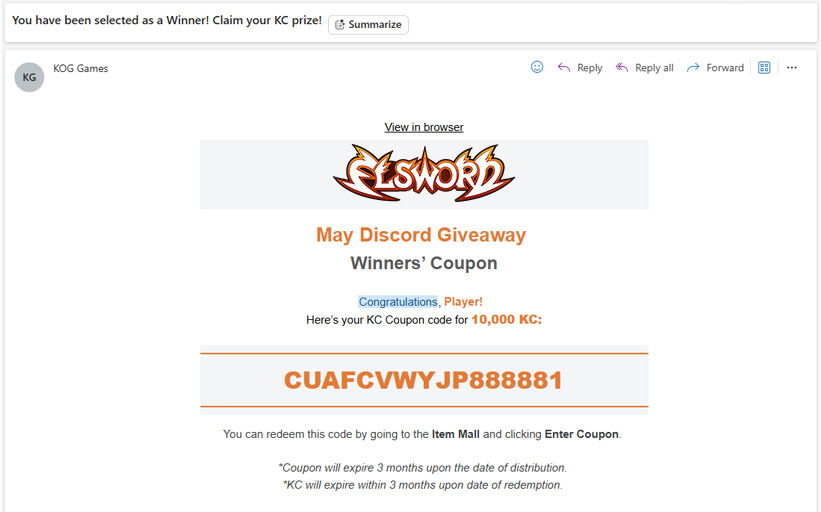
 Save the Coupon Code and then login to Elsword.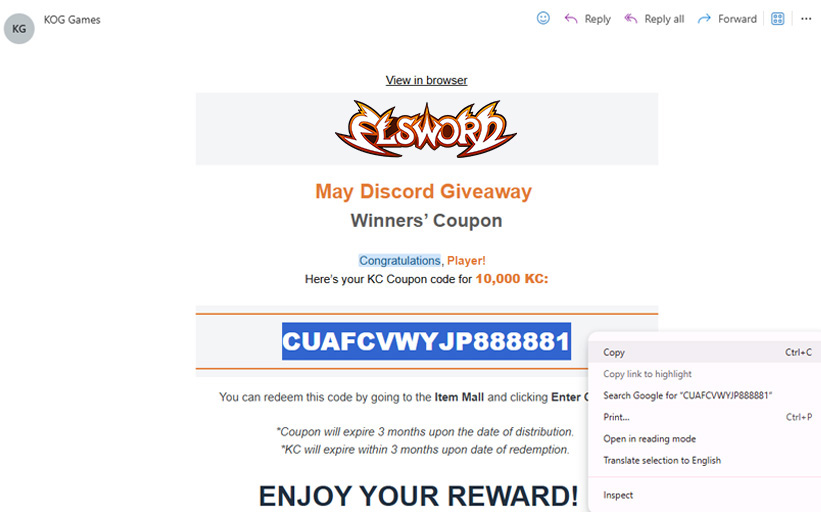
 Open the Item Mall by clicking its icon on the bottom right of the screen.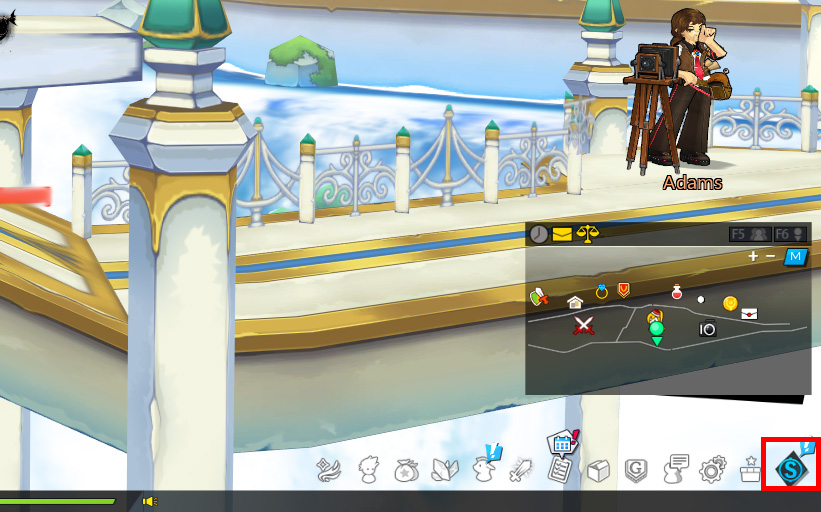
 Click the Enter Coupon button.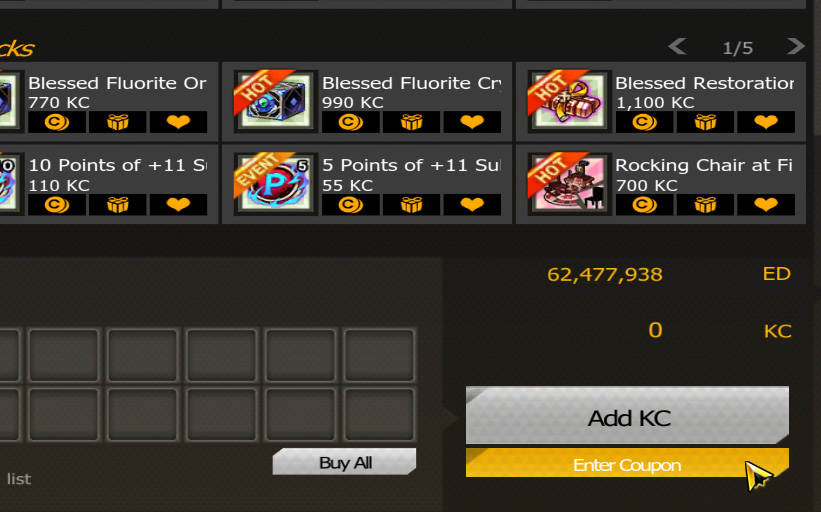
 Input the Coupon Code; take note that the codes are case-sensitive.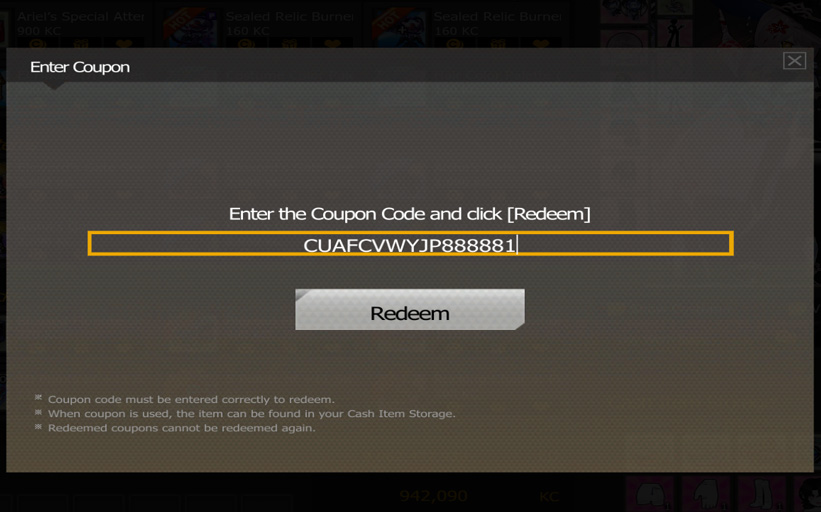
 And just hit Redeem! Congratulations, you have obtained free rewards!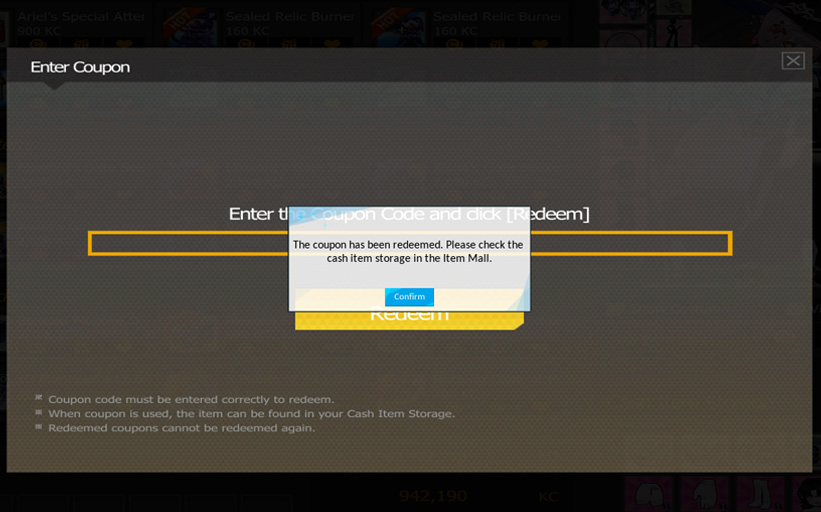
 Double-check your Item Mall storage and/or KC amount for the redeemed rewards!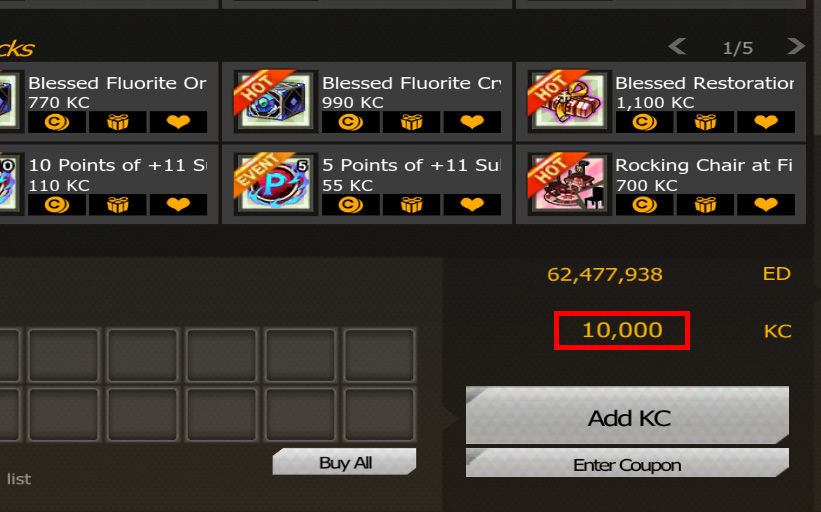
Do note that the Coupon Code will expire after some time and once redeemed, the KC obtained from it will have its own separate expiry date as well.
Make sure to check both the email of the coupon and the corresponding event page for their respective expiration dates!